v1.0.0InDesign panel 1.0.0 · this buildWhat changed
Before you say yes
You are about to hand an unpublished book to software. Here is what it does with it.
This page says what the panel may do to the document you have open, where the file goes,
what the engine keeps and for how long, and how the API decides who may call it. Everything here is
read off the code that runs.
The last section is the list of things that are not built. If you are the one
signing this off, read that one.
A Word transfer is started in Word and lands in InDesign, so the write is remote and the
target is a document that may hold unsaved work. That is the case the panel asks about first.
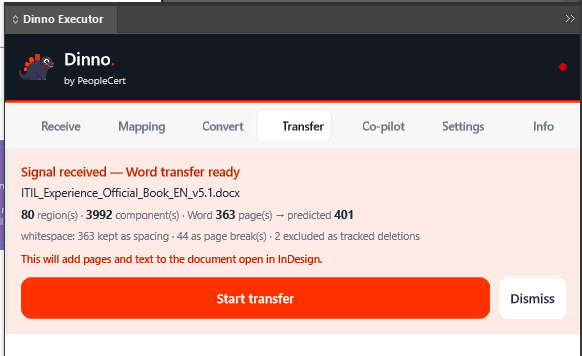
The consent card. What arrives from the engine is a summary, never the program — the
document name, region and component counts, Word pages against predicted output pages. Then one
sentence, “This will add pages and text to the document open in InDesign”, and two buttons. The
pages are pulled only after Start.
StartThe only press that pulls the pages.
DismissWrites nothing. The plan stays with the engine, so it can be sent
again.
Ten minutes, no answerThe Word pane reports the transfer abandoned. Again,
nothing was written.
Start at pageNew in 0.8.0: the card names the page the transfer starts on, and you
can change it. A page that already has content is never written on — Dinno’s pages go in
before it — and a page that was in your document before the run is never deleted.
Convert makes a new document
The convert route creates a fresh InDesign document. Convert into the open document is a
setting, and it is off by default. Tick it and your template’s own styles win: the panel will not
overwrite a style that already exists. Since 0.8.0 it also leaves your page margins, page setup,
masters, page numbering and your own text frames alone.
Before a convert the panel closes the documents it made, matched by a label it wrote on them
— never one of yours. Since 0.8.0 it no longer writes that label on your template, and a labelled
document that has a file on disk and unsaved changes is left open and named in the log instead of
closed. If other documents are open it says so in the log and leaves them alone.
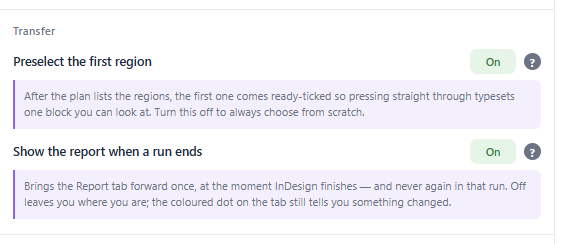
The two transfer settings, with their explanations open.
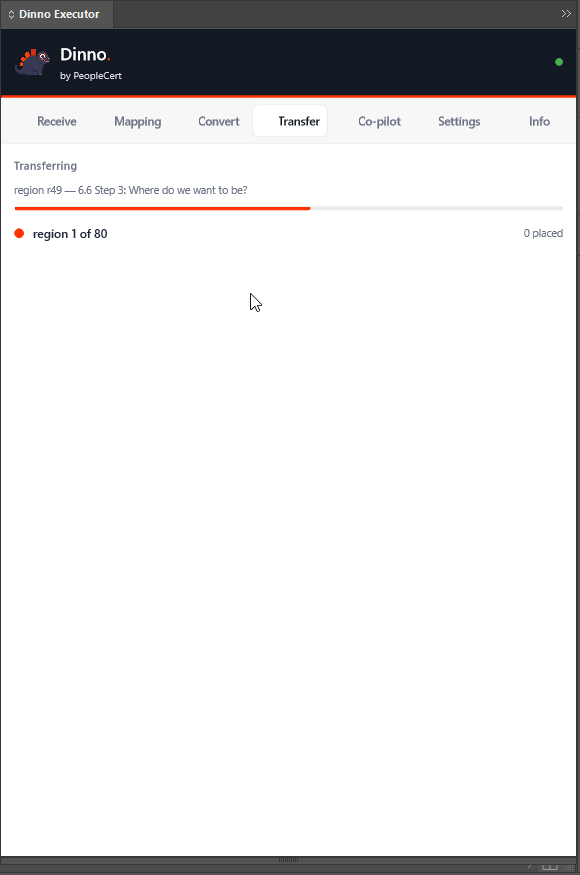
The hand-off. Pressing it in Word, the card appearing in
InDesign, and the transfer starting.
Nothing is rolled back. If a run fails after it has written pages, those pages
stay: the report says “Nothing was undone — check the document in InDesign.” Undo in InDesign steps back
one unit of work at a time, not a whole run at a time.
Three routes in, and they carry different things
One never sees a file at all. One uploads the Word file. The third, new in 0.8.0, sends
InDesign’s own ePub export to be finished.
Word transfer — no file at all
The Word add-in reads your open document through Word’s own API and sends a harvest of text, numbers
and measurements. Nothing on this route parses a .docx. Figures travel as a separate
upload, and the engine refuses a harvest with binary smuggled inside it.
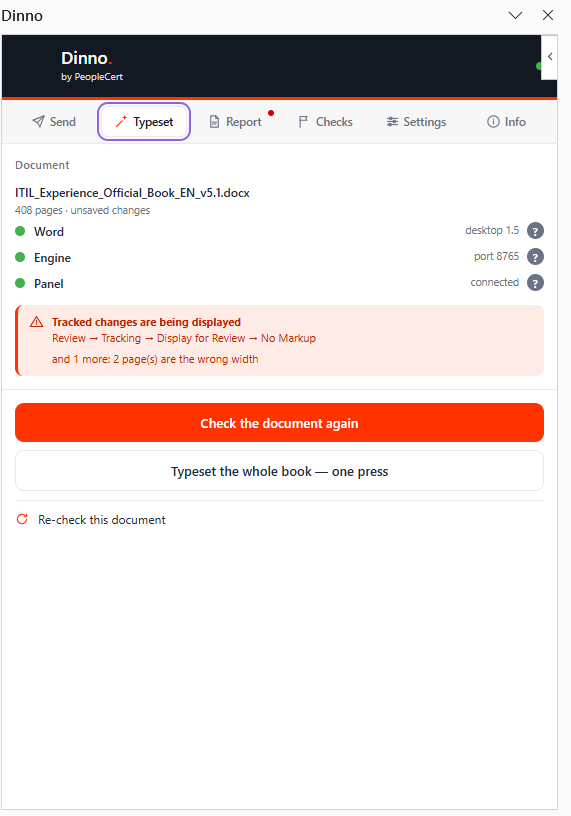
A refusal, shown. The pane refusing a document that is showing tracked changes — and
naming the exact menu path that fixes it.
Convert, the uploadThe panel sends the Word file to the engine — in one request,
or in parts for a large file.
While it is parsedParts are written to a temporary folder, joined, and parsed
there.
When the request returnsThe folder is deleted. No store keeps the Word file
afterwards.
Export ePub — the book, finished on the engine
On your machine firstThe check only reads your book. The export runs on a working
copy of every document, so your own files are not touched, and InDesign writes its raw EPUB from that
copy.
What the panel sendsInDesign’s raw EPUB in 8 MiB parts, the page geometry
the export drops, and any PDF placed over a whole page (at most 8, up to 200 MB each). A smaller
placed PDF, such as a diagram or a logo, is never sent.
On the engineEach job gets a folder of its own on the engine’s disk: the raw
EPUB, the page geometry, the PDFs, the finished EPUB, its report and the gate’s output. One book is
finished at a time.
For up to an hourA job’s folder is deleted once the job is 60 minutes old and
no longer running. Until then the finished EPUB and the report can be downloaded by the job’s random
id — and with sign-in enforcement off, as it is today on the Azure engines, anyone who can reach the
engine and knows that id can fetch them. A restart of the engine loses a running job.
Back on your machineYour chosen file receives only the finished, checked book.
Beside it: InDesign’s raw export (<name>-raw.epub), the page geometry
(<name>.layout-facts.json) and the report (<name>.dinno-report.html
and .json).
Which engine answers
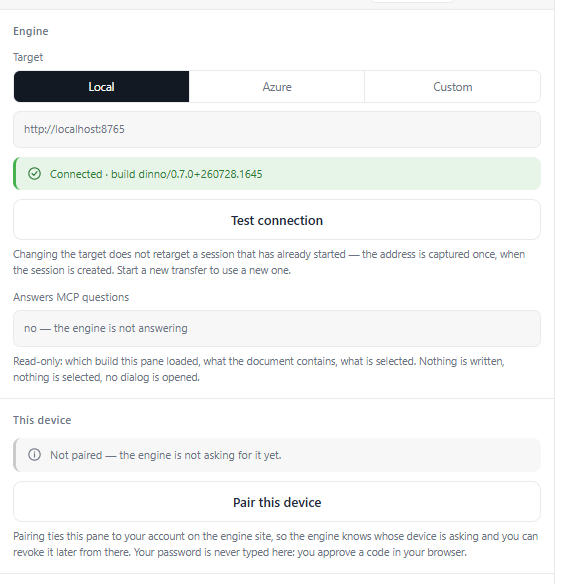
Settings → Engine names the target. Each surface has the setting, and each shows which
engine it reached.
Which engine the pane talks to. The default is an HTTPS address on Azure in North
Europe — its own name says dev. Local is an engine on your machine over plain
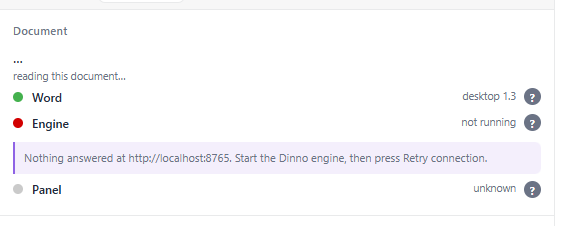
HTTP; a custom URL is whatever you point it at.And when it is not there. The pane says the service is not running, and offers to
try again.
What is deployed today. The engine designers use — the panel’s default
Azure setting — runs 0.8.0 since 9 October 2026. On the Azure engines the gate described below is built and switched off, and its signing key is
temporary. Signing in with your PeopleCert account (Microsoft Entra ID), enforced, is planned for 1.0. The
banner at the top of this page shows which version served it.
What the engine keeps, and for how long
The expiries below exist so an always-on container does not sit on document imagery. They
are memory hygiene, not a retention policy — and they are the only clocks there are.
60 min
an ePub job’s files
60 min
extracted figures
60 min
a compiled plan
2 h
slide rasters
30 min
an abandoned upload
What it learns, and who can ask for it
Its file name, a SHA-256 of its bytes, and its structure — counts of blocks, tables and figures —
and the text itself while a run is in flight. A Word-transfer session holds the document name and
the harvest for as long as the engine process runs.
A colleague cannot pull your plan when the engine knows who you are: a plan is stamped with its
owner, and a different signed-in user is refused. With no identity — which is what the gate turned
off means — a plan has no owner, and anyone who can reach the engine and knows the plan’s id can
fetch it.
Mid-transfer. The document’s text reaches the engine while a run is in flight — and a
Word-transfer session then holds that harvest for as long as the engine process runs.
In memory, then gone
Figures and slide rasters sit in the engine’s memory keyed by the document’s SHA-256, with the
compiled plan beside them. All of it is swept on /healthz, which the container’s
liveness probe calls every 30 seconds — so it expires even when nobody is converting.
On the engine’s disk
One file of pairings: who paired which plugin on which machine, when it was created, when it was
last used, whether it is revoked. Where the engine hosts sign-in, a user list as well.
Document content touches disk in two places: a chunked upload’s parts and the file they are joined
into, in a temporary folder deleted when the request returns; and an ePub job’s folder.
An ePub job, for up to an hour
The raw EPUB, the page geometry, any whole-page PDFs, the finished EPUB, its report and the
gate’s output, in one folder per job. It is deleted once the job is an hour old and not running,
swept on /healthz and whenever a new job starts.
Until then the finished EPUB and the report download by the job’s random id, which with
sign-in enforcement off is all it takes.
Not stored at all
Your .docx, and your plugin’s tokens. The engine keeps a refresh token’s identifier,
not the token, and an access token is checked by its signature so there is nothing to look up.
Access tokens last 8 hours and refresh tokens 30 days; the InDesign panel renews its own.
A password, where the engine hosts sign-in, is kept as a PBKDF2-SHA512 derivation at 210,000
iterations.
On your machine
The run log. The panel writes it to its own data folder as it works — fresh each session, the
previous one kept beside it. Settings → Diagnostics shows the path and has a “Save a copy…”
button.
It stays on your machine unless you attach it to a report — or unless the co-pilot is switched on,
in which case /mcp can read its tail; since 0.8.0 only a co-pilot paired to your own
account, never an anonymous one.
Each ePub export also leaves its working copy — a copy of every document of the book, a new
.indb, Dinno’s styles for the ePub, the page geometry and the finishing report —
in a dinno-epub-<time> folder in the panel’s temporary folder. Nothing deletes
these yet, so disk use grows with every export.
What leaves your machine
For the Dinno team’s support, the InDesign panel, Word and PowerPoint send the engine their warning
and error lines — the first line only, at most 300 characters — and a few status facts: the
refusal you saw, how long a send waited, whether you are paired.
File paths, document names, e-mail addresses, tokens and codes are removed first, on your machine and
again on the engine. Ordinary lines are never sent, and the panel sends nothing while a run is working
in InDesign.
How the API is gated
The gate denies by default. Every path is protected unless its first segment is on a short
open list — plus the site’s own pages and assets, which sit at the root and are matched one segment
deep only.
healthz, pair, downloads, idp,
connect — and the two sign-in callbacksYou cannot gate the door people
authenticate through.
addinThe two Office task panes. Office fetches them with no
credential of ours, so only built pane assets are staged there.
guide-assets and imgThe guides’ figures, and this
site’s own. Public artwork; nothing else is staged under either.
mcpOpen by decision. What that costs is in
Not built yet.
The report channelWhere the panel and the Office panes send the warning and error
lines described under What leaves your machine. Open on purpose, so an unpaired
plugin is still heard. It has its own limits: at most 16 KB per request, a rate limit per caller,
and a daily cap per engine.
Why the list is inverted
The first version listed the protected prefixes, so the next endpoint anyone added shipped
unauthenticated and no test failed. Listing what is open inverts the failure: forgetting a route
locks it, which is noisy, instead of opening it, which is silent.
Three stages, not a switch
off touches nothing. warn validates every request and logs the ones it would have
rejected — that log, not a date, is what says the field is ready. require answers 401 with a
reason the plugins turn into a re-pair prompt.
A misspelt mode
A mode the engine does not recognise runs off and says so loudly. /healthz
reports the effective mode, never the raw string.
You do not have to take any of that on trust. Ask
the engine serving this page what it is doing:
$ curl -s /healthz | jq .auth
{ "mode": "warn",
"signingKeySource": "configured",
// ephemeral means every token dies on restart
Read off an engine started in warn with a
configured signing key. The Azure engines today answer off and ephemeral: enforcement, and
signing in with your PeopleCert account (Microsoft Entra ID), are planned for 1.0, and the signing key’s
own vault is prepared and switched off. The engine behind
this page answers the same question about itself, and its answer is the one that counts.
Pairing, and taking it back
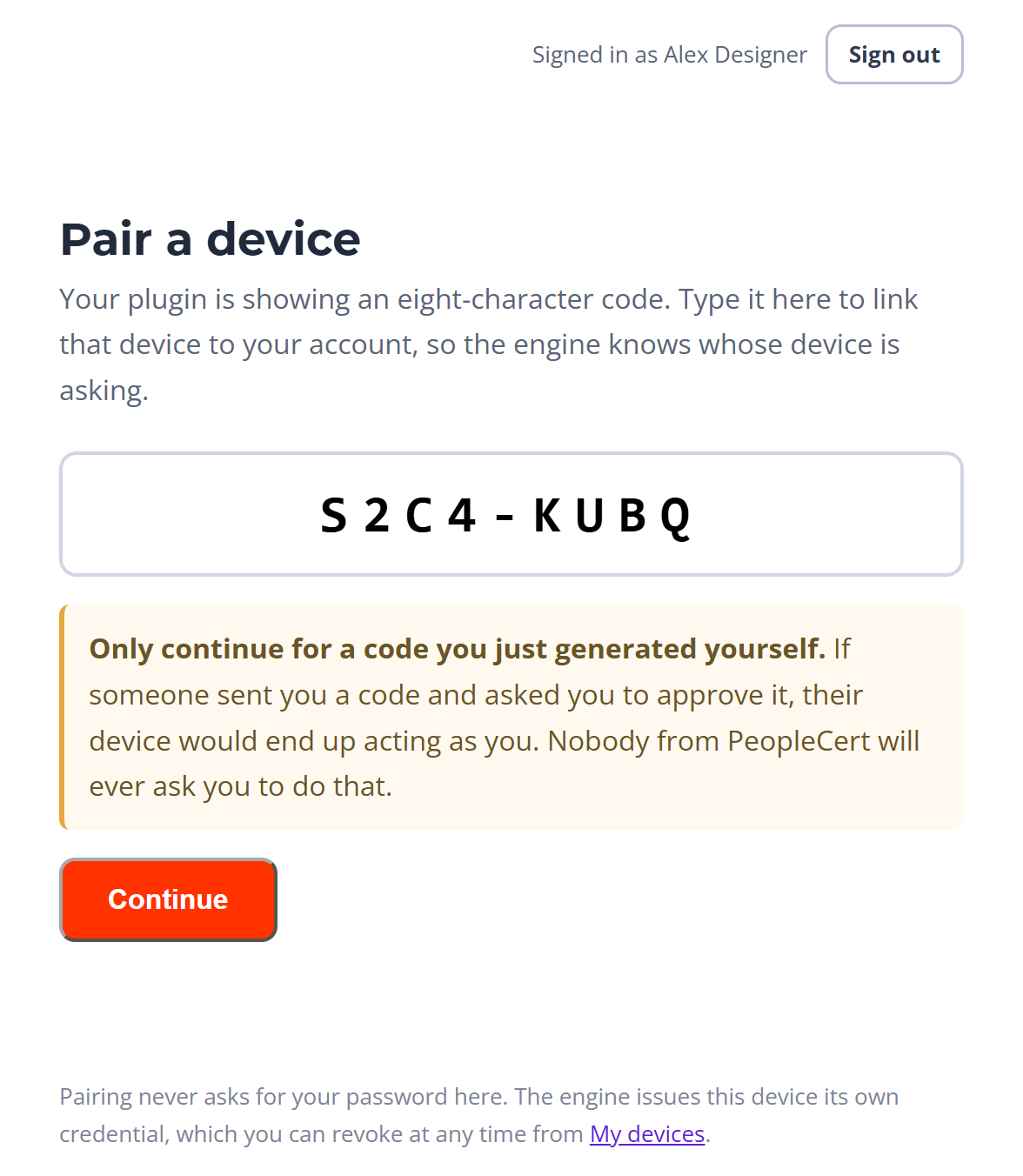
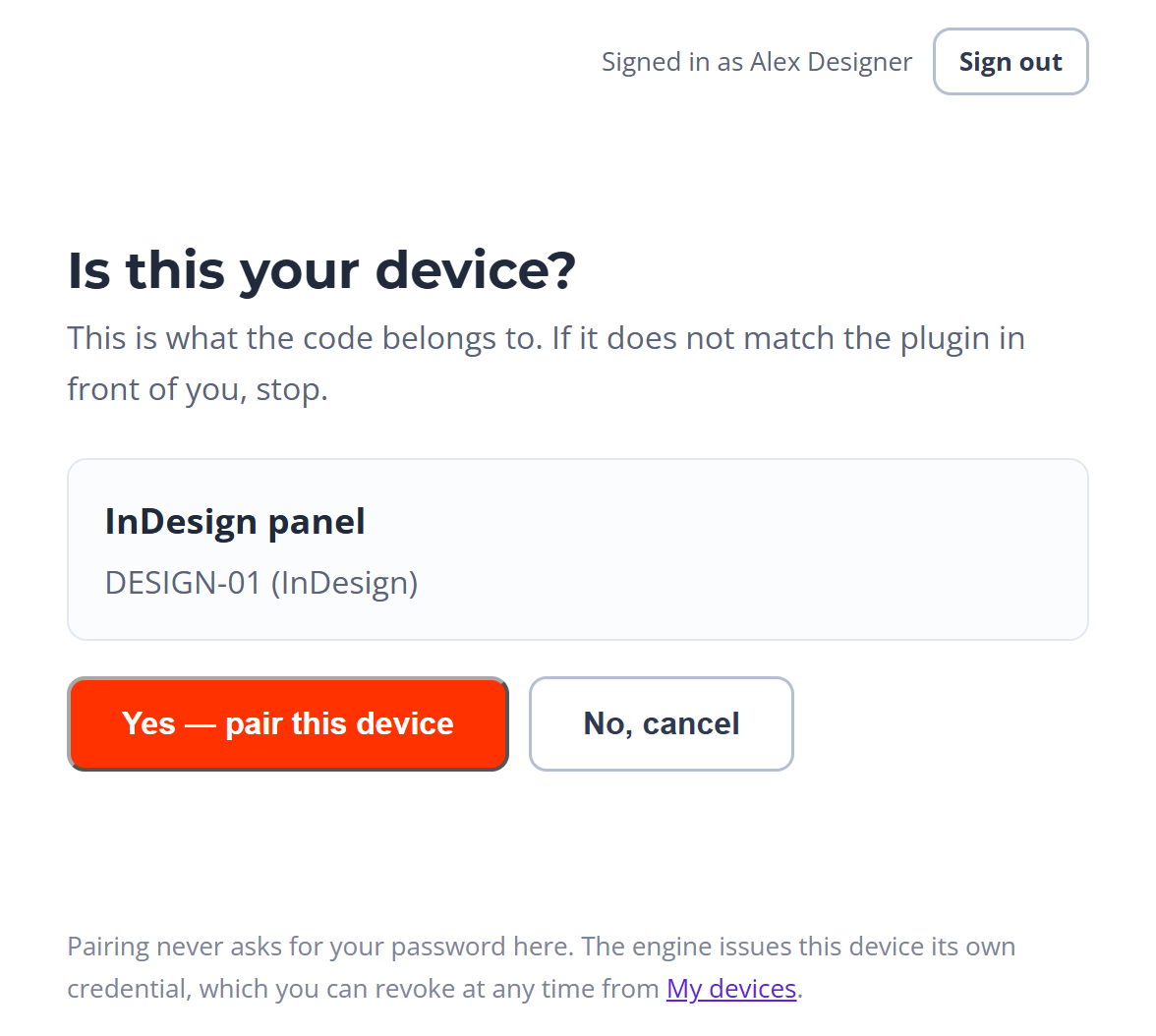
The plugin shows an eight-character code — drawn from an alphabet with no look-alike
characters, live for ten minutes, usable once — and you approve it on the engine’s own page, where you
are signed in.
1 · The code. Eight characters, typed on the engine’s own page — which carries an
anti-phishing warning below the form.2 · Who is asking. The engine names which plugin and which machine want it. Approve,
and that plugin is issued a credential of its own — your password is never typed into the pane or
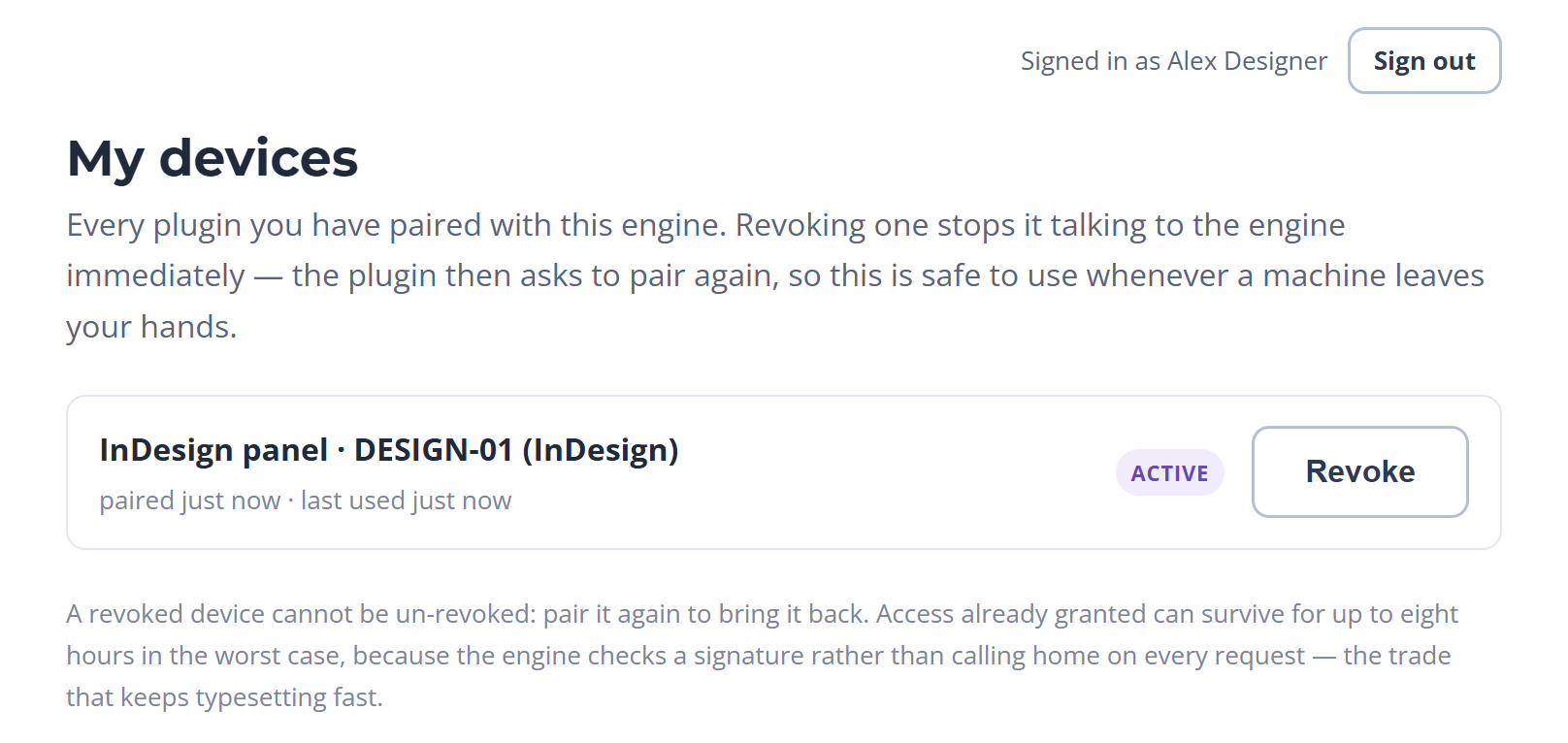
the panel.3 · Taking it back. Everything you have paired, each row with one press to revoke. A
revoked device cannot be un-revoked; pair it again to bring it back.
Browsers are kept out of the site half
The plugin API allows any origin, because its callers are a panel and a task pane holding a bearer
token rather than a cookie. The site half of pairing — peek, approve, my devices, revoke —
refuses every origin, so a page open in your browser cannot approve a code, list your devices or
revoke one.
Anonymous until you approve
Starting a pairing is anonymous by design. Nothing is minted until you approve the code on the
engine’s own page.
Codes stay out of the logs
Since 0.8.0 the panel’s, Word’s and PowerPoint’s logs no longer record the live pairing
code. An invitation link carries its code after #, which a browser never sends to the
server; links in the old form still work.
A revoke lands only under require. The gate looks the pairing up on
every protected request, so under require the plugin’s next call is refused at once and it
asks to pair again. Under warn nothing is refused at all, so a revoke does not reach the
device until the mode changes.
A conversion that half worked is the dangerous outcome, because it looks finished. The
report is built so that it cannot.
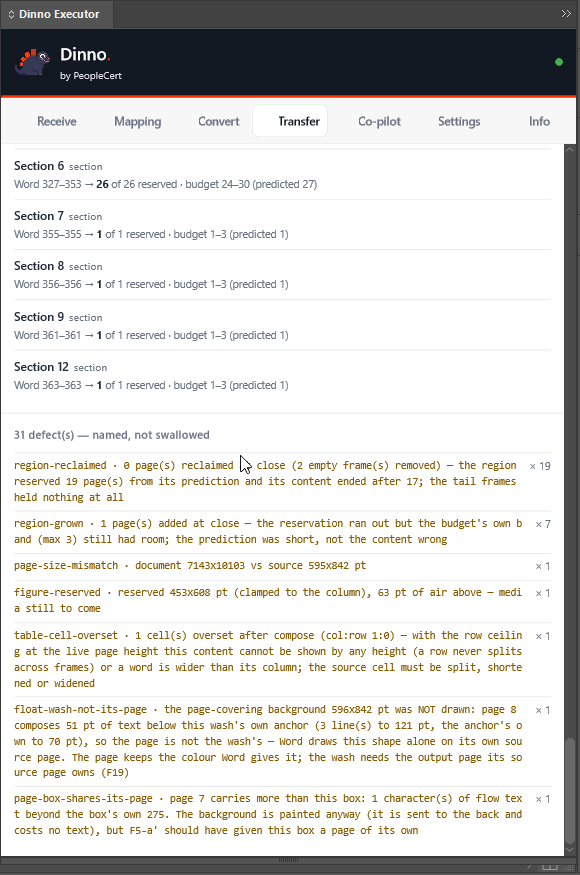
Defects are named
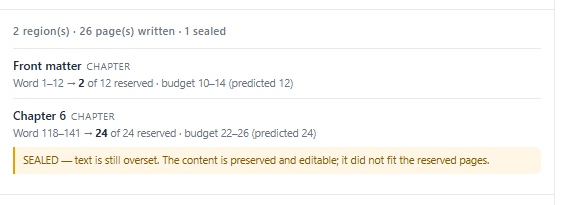
The report heads them “N defect(s) — named, not swallowed” and lists each by code, with a
sample and a count. A region whose text did not fit is marked sealed, in the same sentence in
the panel and in the pane: the content is preserved and editable, it did not fit the reserved
pages.
Terminal states carry no checkmark and no progress figure, deliberately — a partial run must not
read as success, and it must not read as total failure either. “Completed with defects” is treated
as the common case and gets the most structure, not the least.
A sealed region, in the report’s own words.
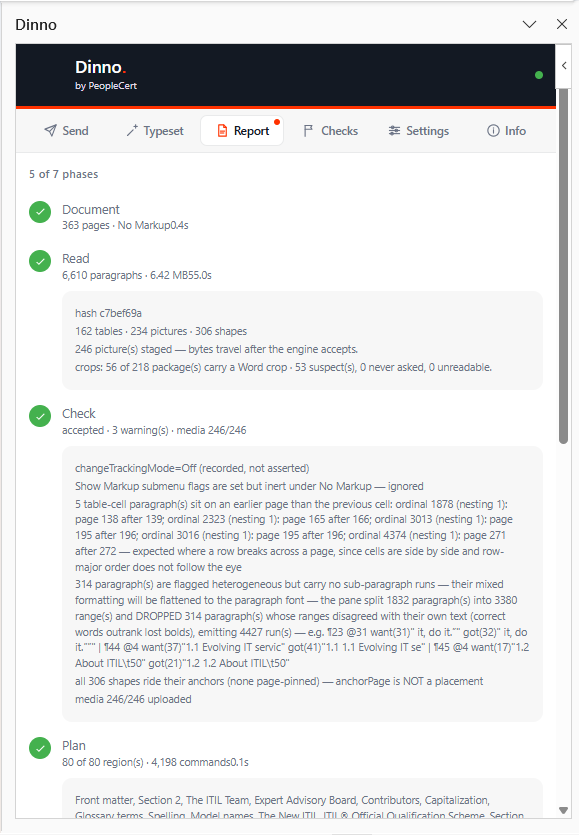
The phases, with their evidence. Seven stages, each carrying the lines it was judged
on.The end of a run. Pages written, and the gaps named rather than hidden.A receipt you can paste. One button copies the phases, the counts, the region rows,
every defect, the session id and the document’s hash. It is what goes into a ticket, and it is the
same text the operator in Word is looking at.
The whole book reports its gaps
The measured full-book run composes 387 pages from 363 Word pages and says why: every section opens
on its own page, and 51 of 80 start on a Word page the previous section still occupies.
Six further gaps — cover art, 306 decorative shapes, headers and footers among them — are listed
with their measures rather than left to be discovered.
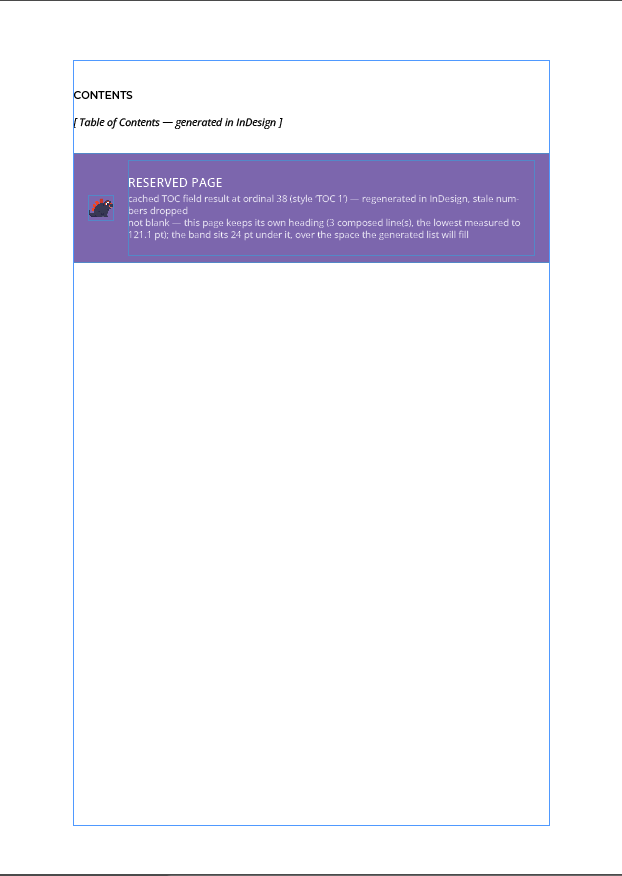
A page held in reserve, wearing a band that says why it is empty.
363
Word pages in
387
pages composed
51/80
sections open on an occupied page
6
further gaps, each measured
And the tally is not exact. Two runs from a byte-identical plan of 4,198
instructions placed the same 3,627 commands across the same 387 pages — and reported 30 defects
and 31. The extra one is a single page handed back at a section close.
That is the noise floor, and it is published rather than rounded away: the
honest limits name all seven gaps.
What that looks like on the page
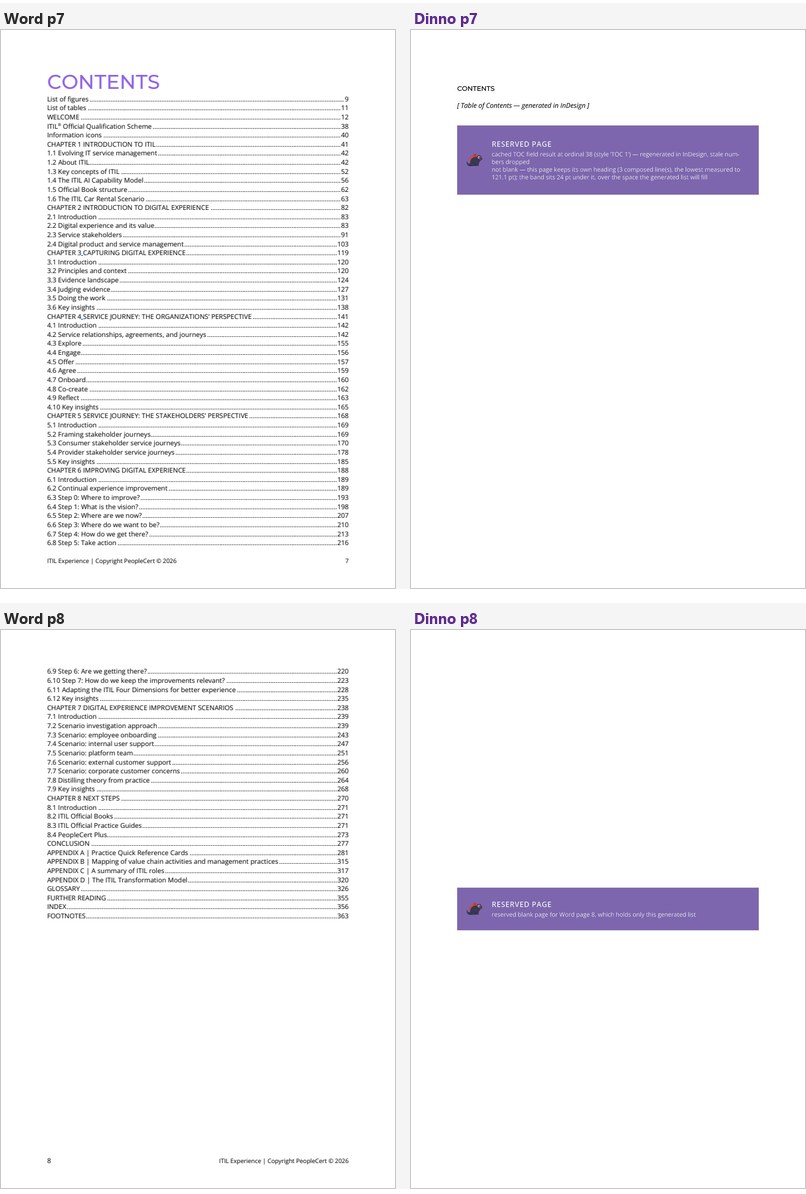
Two pages out of the measured run: one generated, one held.
A generated contents page, and a page held in reserve. Both carry a band naming the
Word page they stand for and why the page is empty — so a reserved page reads as reserved, not as
finished work. This run predates 0.8.0, which keeps the contents and list pages reserved and empty for
InDesign’s own Table of Contents instead of generating them.
Not built yet
The gate and the pairing above are built. Enforcing them, with sign-in through your PeopleCert
account (Microsoft Entra ID), is planned for 1.0. This is the part to read before approving an
upload.
The gate is not enforcing anywhere yet. Enforcement is staged on purpose: the
plugins in the field are unauthenticated, so flipping straight to require would stop every
designer’s panel. The Azure engines run it off, so every protected route answers without a
token, and their signing key is temporary, so a restart invalidates every token they issued. A vault for that
key is prepared and switched off; turning both on belongs to 1.0.
What is not built
No retention policy. The clocks above are housekeeping, not a period anyone chose, and there is
no purge you can ask for. A Word-transfer session — the harvest, its figures and its report — is held
in memory for the life of the engine process and is never swept.
ePub job files can be fetched by id for an hour. With enforcement off, anyone who reaches the
engine and knows a job’s random id can download its finished EPUB and report until the folder is
swept.
ePub working copies are never deleted. Each export leaves a copy of every document in the
panel’s temporary folder on the designer’s machine.
Nothing is encrypted by us. “Encrypt in transit and at rest” is on the roadmap as a direction,
not scheduled. The default target is an HTTPS address, so that hop is encrypted by the platform; a local
or custom target need not be. At rest this project encrypts nothing itself, and has measured nothing
about what the platform does underneath.
No run history you can open. Who converted what, when, and with which panel and engine
version is not something Dinno shows you. A run is visible in the panel and the pane while its session
is alive in the engine’s memory, and the run log stays on the designer’s own machine.
No quotas. Apart from the report channel’s own limits, the one rate limit in the engine
throttles pairing codes — ten per ten minutes per client. The deployment tells the engine to trust the ingress’s forwarded address, so the
bucket is per caller; without that setting every caller behind the ingress would share one.
Conversions are not limited at all. No per-user quota and no queue for conversions. ePub
finishing is the exception: it takes one book at a time, and a second export waits its turn.
Tell us when a book will not go through. Word now shows the engine’s reason for a refused
send and a reference beside every send; quote the reference and support can find exactly that
send.
The co-pilot face is ungated./mcp is authless in this phase, with its own
connector clients. The InDesign panel answers it only if the designer switched the co-pilot on in
Settings, which is off by default.
The two Office panes have no such switch. They connect whenever an engine answers. An
identified caller reaches only their own plugin — but an anonymous caller, on an engine with a
single connected Word pane, can read the open document’s structure and can press the pane’s own
read-and-send chain. Since 0.8.0 the panes’ logs and state, and the InDesign panel’s log,
answer only a co-pilot paired to your own account.
Signing this off?
Sign-in enforcement and the rest of the hardening are on the roadmap under 1.0, not dated yet;
retention and service limits are listed there as directions. If something here is wrong, or a gap
needs to move up the list, say so — that is how the list gets shorter.