What comes out
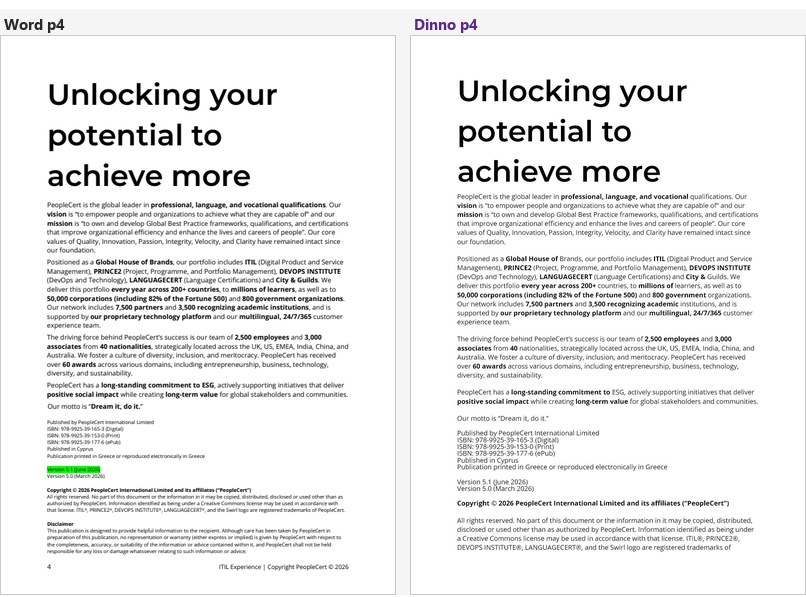
Left, a page of the manuscript as Word shows it. Right, the InDesign page Dinno composed from it — real paragraph styles, real tables, real anchored figures. Nobody touched the right-hand page by hand.
Three of the four are panes inside applications a designer already has open — Word, PowerPoint, InDesign. The fourth is the service they all talk to. Here is what each one does today, and what it refuses to do. New in 0.8.0: a finished, checked ePub from your InDesign book, and transfers that follow your own template.
Left, a page of the manuscript as Word shows it. Right, the InDesign page Dinno composed from it — real paragraph styles, real tables, real anchored figures. Nobody touched the right-hand page by hand.
Two doors into the same engine, and only one surface ever writes into your document.
app.xml claims one page, the
designer's PDF has 364, and reading the file's XML gives 552.A task pane in Word. The whole book is one press on one tab. The everyday act is on the tab beside it: one component landing at the designer's cursor in InDesign.
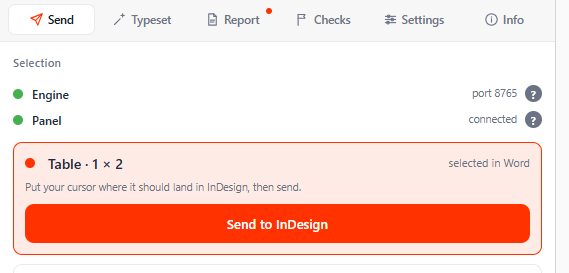
Put the cursor on it in Word, put the InDesign cursor where it should land, press send. No plan, no consent card, no page budget — this is where the copy-paste hours actually go.
The card names what it found before it goes, so a wrong selection is visible rather than surprising.
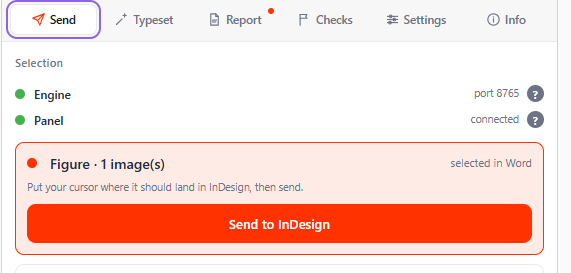
No region stop and no second press. Pick regions from the list first if you want only some of them. The pane names the stage it is in throughout: checking, reading, sending it to the engine, planning the transfer, handing it to InDesign.
It checks the document before anything is sent, and the engine validates the read again and refuses one carrying a critical finding. There is deliberately no override: a forced read does not fail loudly, it produces a book with one chapter's content under another chapter's heading.
Each of these is a refusal the pane makes out loud, not a silent failure.
A trainer's deck is the manuscript for two printed products at once. The pane builds either one from it — and shows you the audience split before it starts.
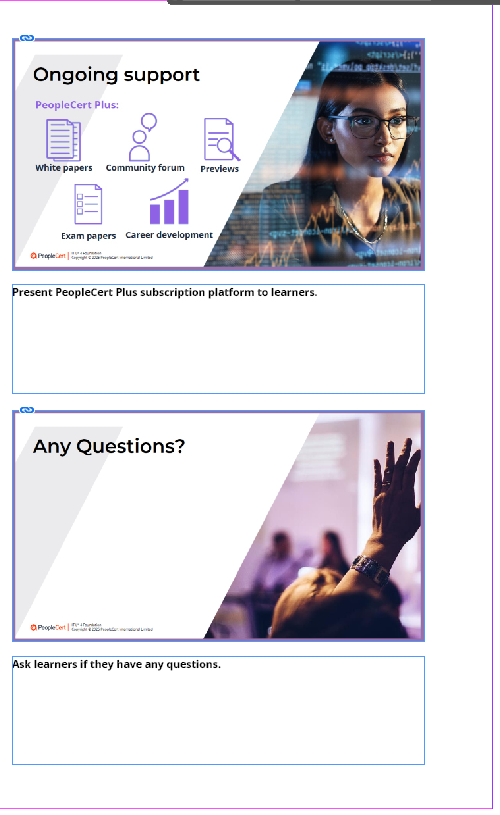
Every slide is classified first — core, non-core, or out of the book — and the pane shows the rule that decided each row. Press a chip to disagree.
The rules live in the engine, so the list you approve is the list that gets built. It replaces a hand-kept list of 151 slide numbers that a designer pasted in on every run.
The speaker notes are the manuscript, split by audience the way the old macros split them: bold runs are the trainer's channel, regular runs the learner's.
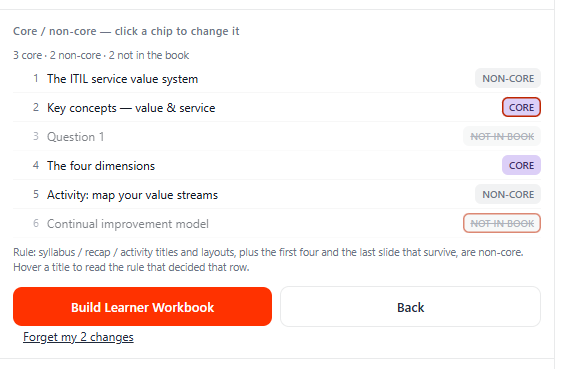
This line is behind the Official Book line, and the guide says so plainly.
The .ccx a designer installs once. It is the only surface that writes into
your document — and it asks first.
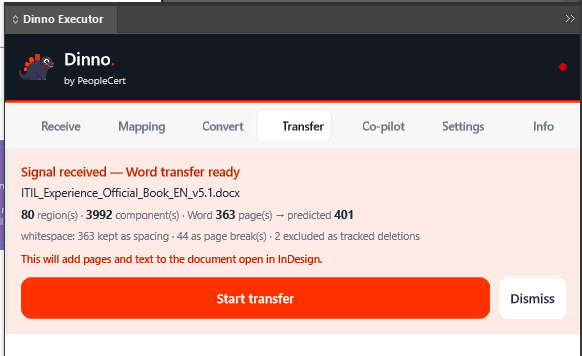
A Word transfer arrives as a card naming the document, how many regions and components, Word's page count against the predicted output, and how the author's blank paragraphs were read.
Then one sentence — this will add pages and text to the document open in InDesign — and two buttons. A parked build moves its megabytes only when you press Apply.
New in 0.8.0, the card also says where the transfer starts — “Start at page 62 (empty)” — and Change lists your pages, each marked empty or with content. A page that already has content is never written on.
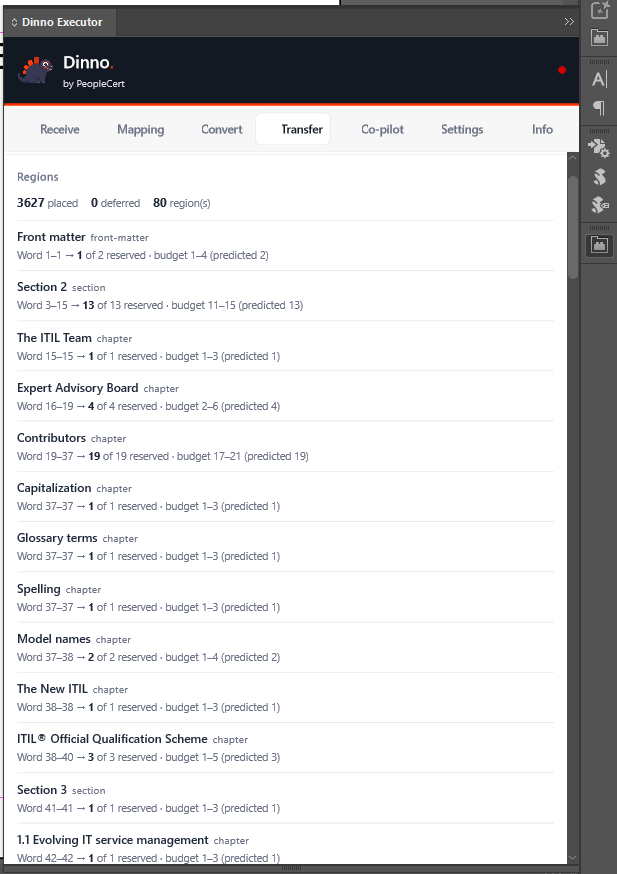
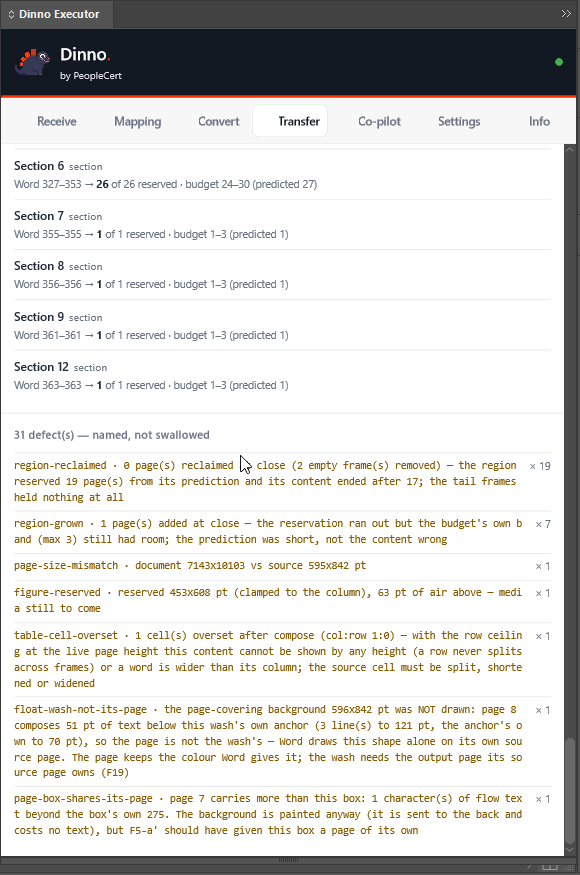
Placed, deferred and sealed counts, then the defects grouped by code — named, not swallowed. A run that half worked is the dangerous outcome, because it looks finished.
It then tells the Word pane what happened, or says that it could not.
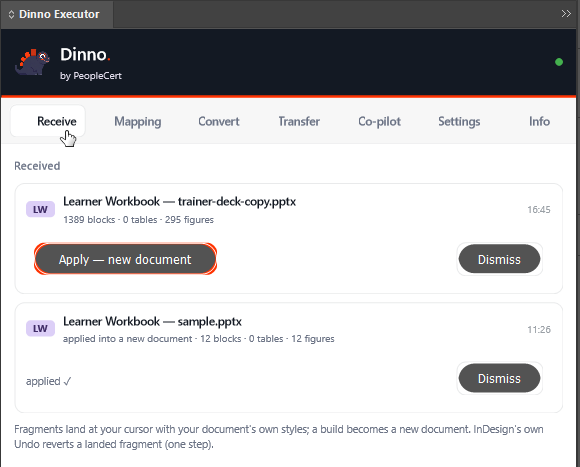
A fragment lands at your cursor with your own document's styles, and InDesign's own Undo takes it back in one step. A build becomes a new document.
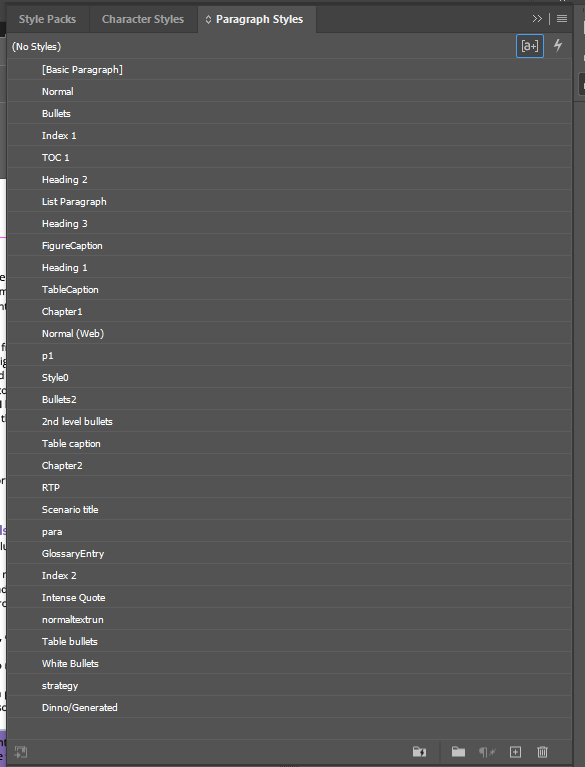
After a convert, the Paragraph Styles panel is filled with the names the Word document actually used — the tidy ones and the leftovers alike. Nothing is invented.
.docx or .pptx picked from disk, into a new document or into the open one, Split into
chapters — still works in 0.8.0 and says so at the top of the tab. For a Word book use the Word transfer:
Typeset in Word, Start on the Transfer tab. For one piece, Send it from the Word pane to your
cursor. A Learner Workbook or Trainer Guide comes from the PowerPoint pane.Most of the time the designers send into a template they already have: their masters, their style groups, their margins. In 0.8.0 every route into it follows the template, and a template that has no mapping gets exactly the styles it got before.
One list, by category: what Dinno sends (In Word) and the style of your template it lands on (In your template), found by the style’s name, its place in the template and its settings. Change picks another. Dinno uses a match on its own only when it is sure; the rest wait for you.
Save to a file and Load from a file (.dinno-map.json) pass your matches to a
colleague, and Undo load takes a load back. Nothing goes through a server and nobody has to
approve it. Styles kept inside a style group are found and applied.
Frames and tables take the margins of your master pages, not Word’s. A table wider than its column shrinks and keeps Word’s column proportions; a narrower one keeps its width. Your page margins, masters, page setup and page numbering are never changed.
Where your heading style numbers itself, the number typed in the manuscript is left out, so a heading no longer reads “3.2 1.2 Title”. Years, “Appendix A” and “Chapter 3” are never touched.
A bullet inside a table prints once, on your “Table bullet” style, and a numbered item keeps Word’s number. Icon tables stay inside the column and no longer print an empty numbered line above them.
After a Word transfer, each chapter’s sections are linked into one text thread, so text you edit in one section flows on into the next. Each section still starts where it was laid out.
Pick the page the transfer starts on. Empty pages are reused as they are; a page that already has content is never written on — Dinno’s pages go in before it.
A later Convert no longer closes your template without saving. The contents, figure and table list pages stay reserved and empty for InDesign’s own lists. A new document made from your template counts as your template.
Round 3 of the benchmark, 9 October 2026: ITIL Experience v5.1, the whole book, sent by Typeset into a copy of the ITIL5 template. Each heading has its own chapter number and all 162 tables are on a page. The same round still has 1 story ending with hidden text, in the appendices; the benchmark lists it.
A tab in the InDesign panel: a finished, checked EPUB from the InDesign book you already have. It is made on a working copy, so your own documents stay exactly as they are.
It reads the open document, or its whole Book. Chapters that are not open are opened without a window, read and closed without saving. The result is sorted by who has to act: Needs you, After the export, DINNO handles and Good as it is.
Eight kinds can appear, from pictures not anchored in the text to fonts missing on this computer. Each card gives the book’s own numbers, why Dinno leaves it to you, three steps in InDesign’s menu words, and Show in InDesign for every place.
For pictures not anchored in the text, the card splits them into those Dinno can anchor and those that need you, with the reason. A picture that text wraps around is never anchored automatically: that can freeze InDesign. The anchoring happens in the working copy; until the export, Undo gives them back.
Export stays locked while anything needs you (“Locked while 30 pictures need you”), and it checks the book once more before it starts. The panel offers no way past the lock.
Title, author, publisher, rights and e-book ISBN; navigation from your heading styles or the book’s own contents style; seven options, all on, none of which touches your files; and the design system: Auto-detect, ITIL, PRINCE2 or Generic.
<name>.dinno-report.html and .json beside your file: the book, the
settings, every finding with every place, what Dinno fixed, the steps with their times, the gate, and
the files, with a sha256 for the finished EPUB.
ITIL Experience v5.1, an InDesign Book of 18 documents. Unchanged means all 19 of its files byte for byte the same (sha256) before and after the export; the 61.9 s include 11.5 s of InDesign writing the file. Both were measured on 29 September 2026 on a 0.8 development build. On a local copy of the 0.8 engine, finishing took about 10 s and the gate about 51 s for this book; epubcheck found 0 errors and 0 warnings, and DAISY Ace 0 critical and 0 serious issues.
Against the vendor and against the old process, with the same tools on all three files. Aptara’s ePub is ITIL Foundation v5, a different and shorter book (62,706 words against 119,982); the shipped Experience ePub is the same book as Dinno’s.
| Measure | Aptara · ITIL Foundation v5 | Shipped · ITIL Experience v5.1 | Dinno 0.8 · ITIL Experience v5.1 |
|---|---|---|---|
| epubcheck errors | 0 | 56 | 0 |
| Serious accessibility issues (DAISY Ace) | 617 | 1,296 | 0 |
| Accessibility metadata | none | none | declared |
| Documents that declare their language | 29 of 29 | 12 of 30 | 19 of 19 |
| Page list (print page numbers) | 260 entries | none | 329 entries |
| Index page numbers that are links | 2,510 of 2,510 | 0 of 5,284 | 5,223 of 5,313 |
| Data tables with header cells | 0 of 22 | 0 of 34 | 34 of 34 |
| Real lists, not typed bullets | 0 | 0 | 2,151 list items |
| Documents that scroll sideways on a phone (390 px) | 5 of 29 | 8 of 30 | 0 of 19 |
| Severe reading problems in six reader views (text cut, overlapping or spilling; contrast not counted) | 51 | 157 | 77 |
| File size | 20.1 MB | 19.3 MB | 3.1 MB |
Measured on 2 October 2026: epubcheck 5.4.0, DAISY Ace 1.4.6, and six reader views (Thorium’s two-column view at normal and double text size, a scrolled column at both sizes, phones at 390 and 320 px), drawn with Thorium’s own reader styles. Dinno’s file is the panel’s export after the finishing pass, which is what 0.8 ships. Slide 11 of the ePub demo showed 6 severe problems: that file had also been through an AI trial in our workshop, which is not part of 0.8. Per 10,000 words the severe problems are 8.1 for Aptara, 14.7 for the shipped book and 6.4 for Dinno.
One service. It serves this site and the plugin download, answers for its own health, and is the only part of Dinno that turns a document into a plan.
So what it intends is countable before anything is drawn. Nine of the plan's numbers are verified first.
That has paid for itself twice: once a change passed all its own tests while the real plan reserved two pages where five were needed, and once a run was stopped before it started because the plan carried 37 of the author's page breaks against the 36 expected.
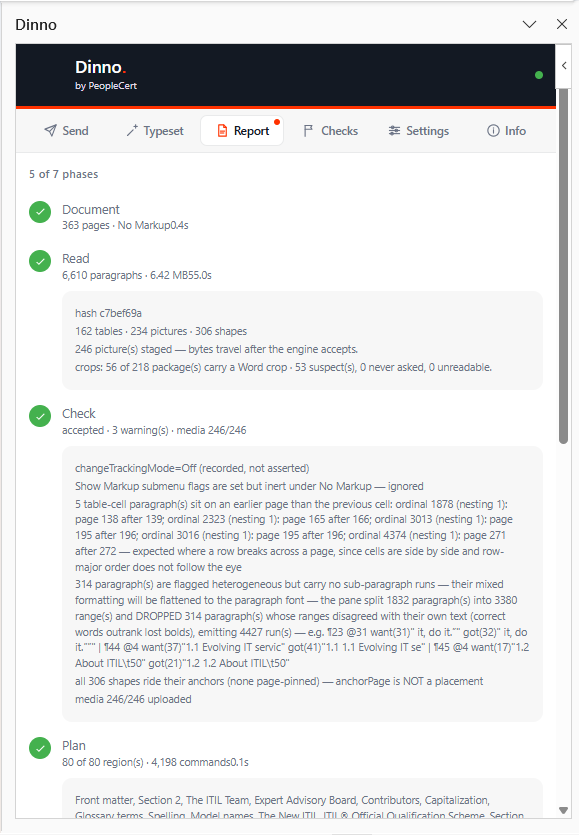
ITIL Experience Official Book EN v5.1, 80 sections, end to end in a single unattended run of about five minutes. 387 pages against 363 is the largest remaining structural difference, not a rounding error — the guide names it with six others under honest limits, each with its own measurement.
The engine also answers the Model Context Protocol, on POST /mcp. There is no
screenshot of a protocol, so here is what it actually answers.
Read the document, place a table, set a stroke, add pages, replace text, report what is on a page. Not a chat wrapper over a chat.
Forty-five of the 87 descriptions open with MODIFIES and eighteen with a read-only
marker; four more open with ACTS or MUTATING. Nineteen of the remaining twenty
name the act first — list_styles, render_page, goto_page — and one
opens with DEPRECATED: convert_document, which goes in 1.1.
ChatGPT and Claude reach it as a connector. Co-pilot mode is the same rail from inside the panel: the panel dials out and never accepts an inbound connection.
Six of the tools are new. get_style_details reads the definitions of your template’s
styles, audit_layout_geometry measures frames, tables and cards against your margins,
transfer_scorecard scores what a Word transfer left on the page, and
epub_check, epub_export and epub_status run the same check and
export as the ePub tab, locked exactly like the button.
You ask in the chat, in plain words; the assistant asks Dinno. The first three only read — they change nothing in your document.
/mcp. The Word pane, the PowerPoint
pane and the Convert wizard (deprecated, removed in 1.1) each talk to the engine directly./mcp is authless in this phase, and what the two Office panes expose on that rail
is spelled out on Security and documents. Read it before you switch
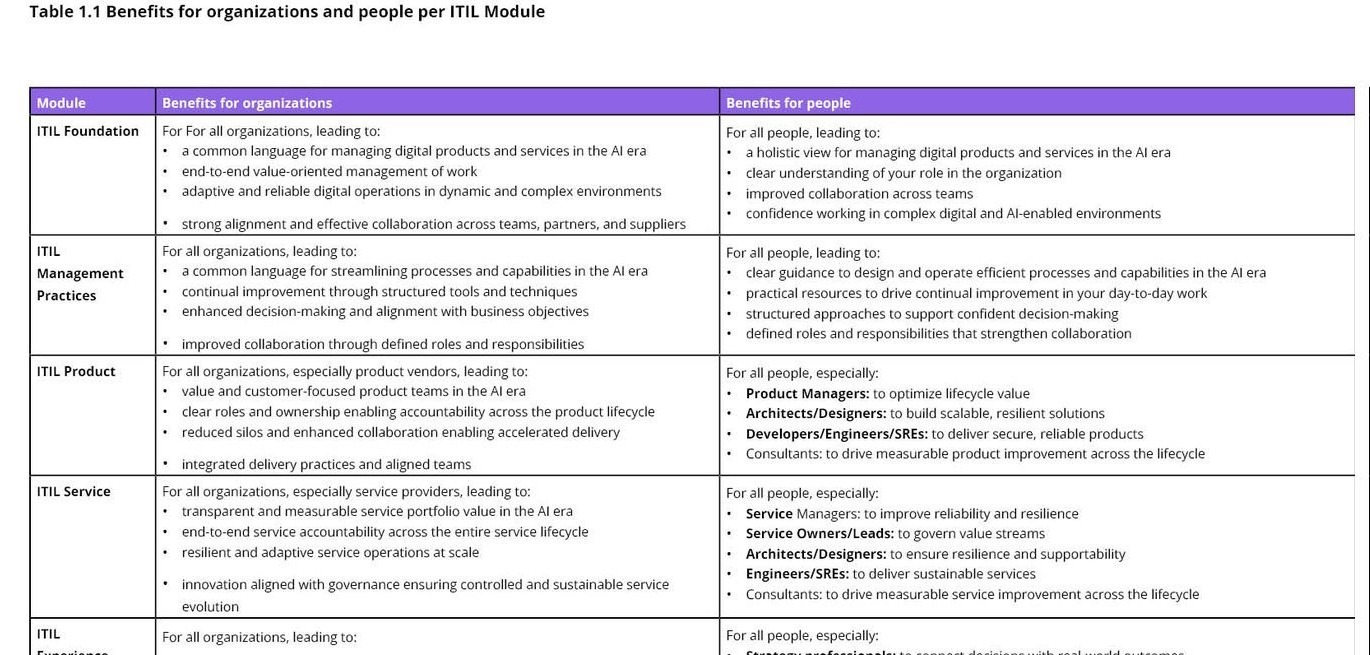
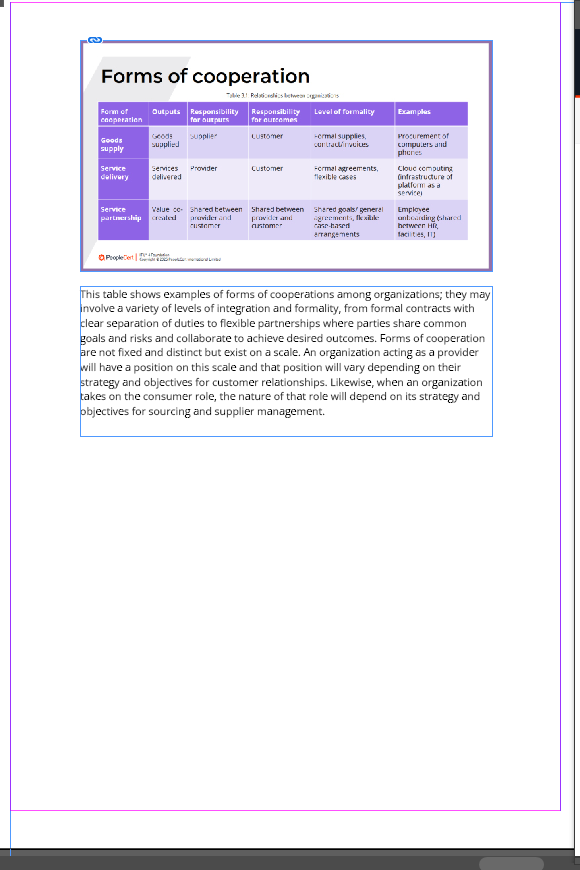
anything on.Table 1.1 runs off the bottom of one page and onto the next. Both halves below are cut from the same composed spread.